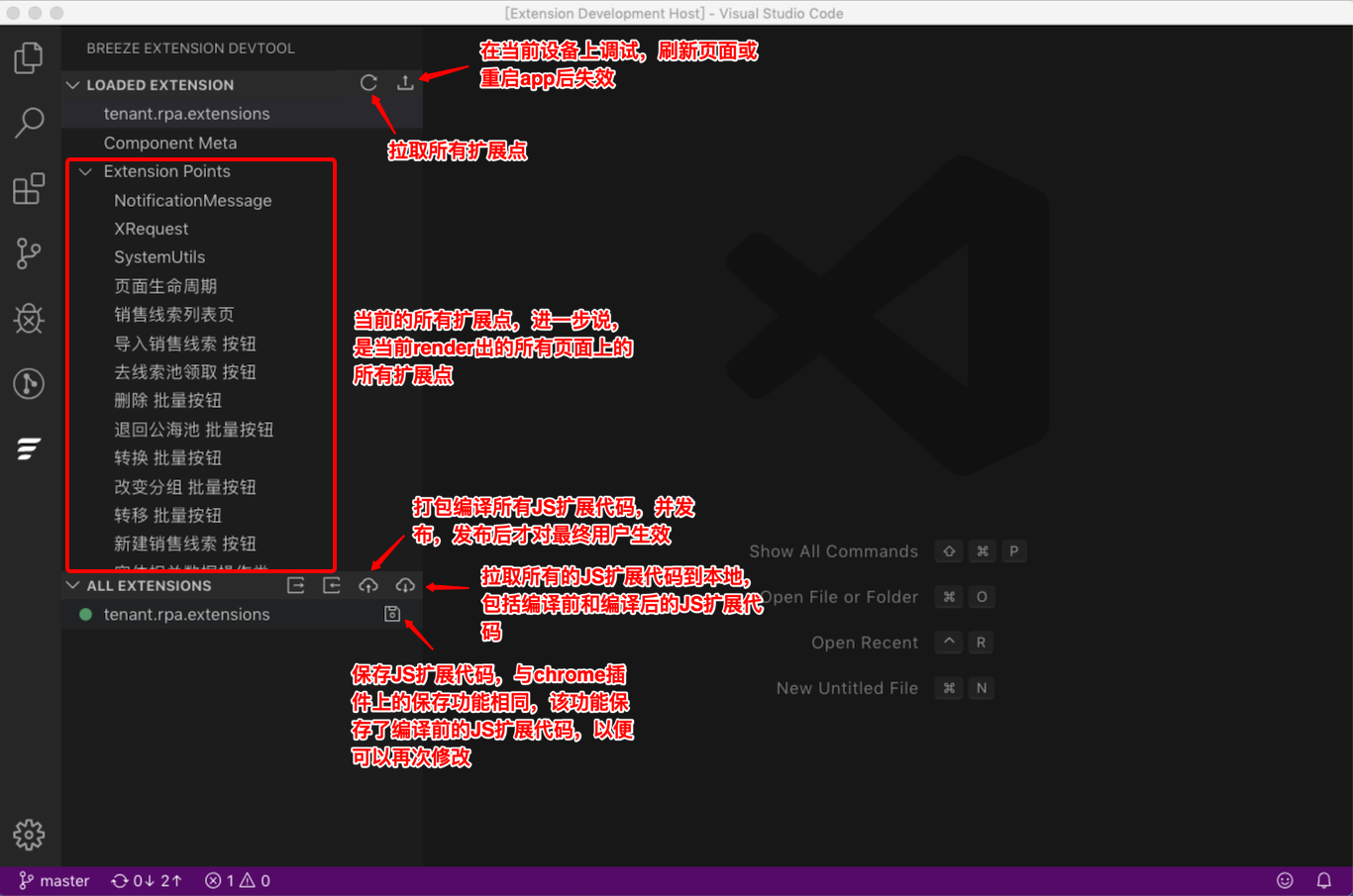
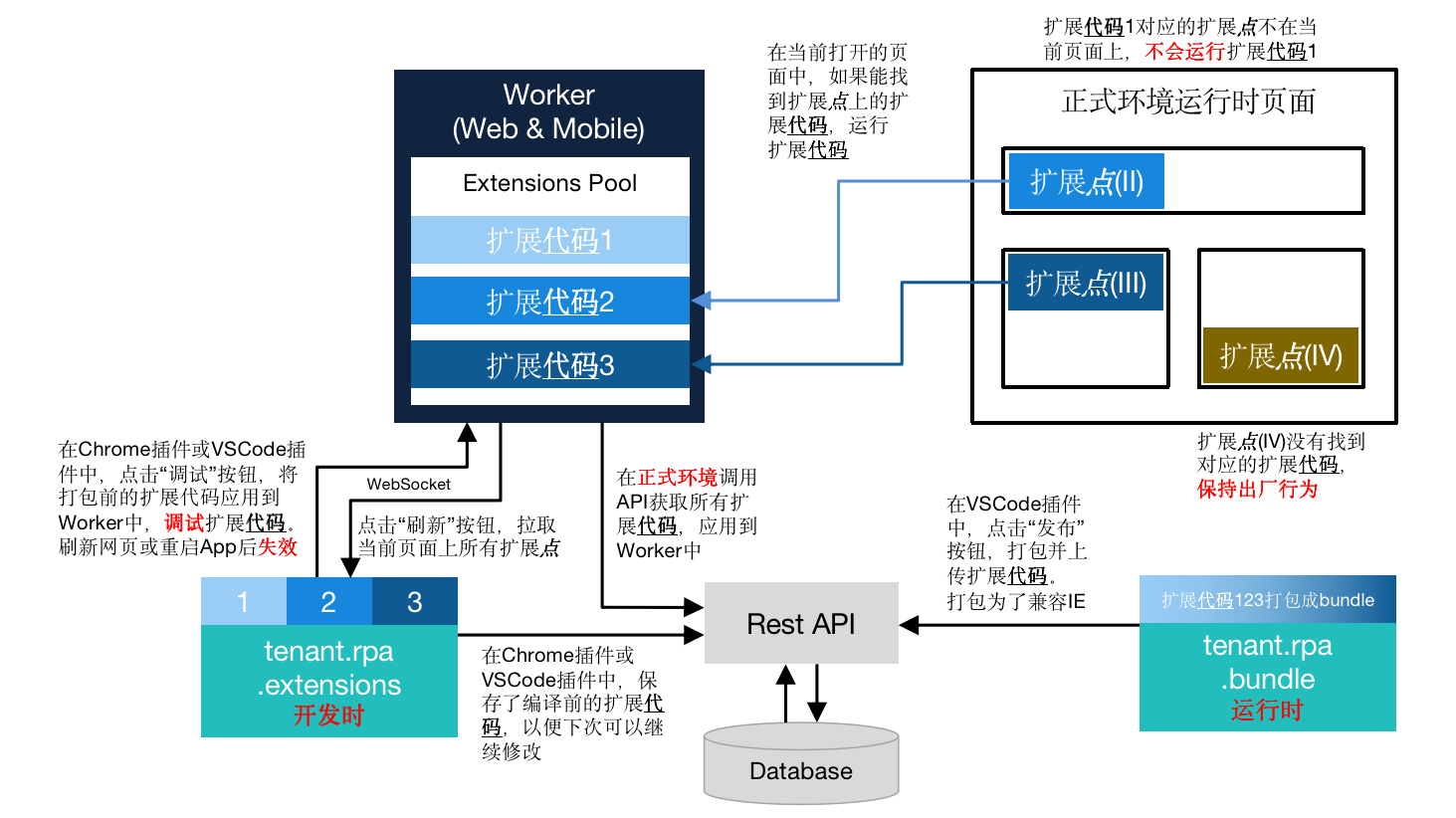
RPA JS 扩展点和扩展代码原理
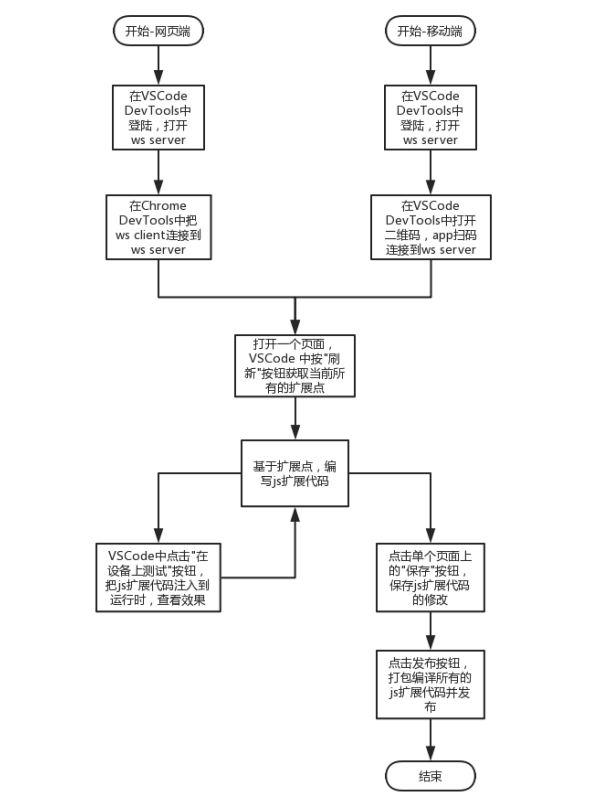
RPA JS 扩展开发流程
RPA JS 使用方式
- get / set 扩展点上的属性
const item = new xsyrpa.FormNumberInputExtensionPoint("customizeObject__c.form#*#customItem1__c");
item.getValue();
item.setValue(123);
item.setVisible(false);
- 监听扩展点上的事件
const item = new xsyrpa.FormNumberInputExtensionPoint("customizeObject__c.form#*#customItem1__c");
item.on("onChange", (data) => {
  console.log(data)
});
- 调用SDK提供的全局方法
const ext_XRequest = new xsyrpa.XRequest();
ext_XRequest.request({ url: "/rest/api/***", headers: {}, method:"GET" }).then().catch();
const notificationMessage = new xsyrpa.NotificationMessage();
notificationMessage.success({ message: "保存成功" });
const systemUtils = new xsyrpa.SystemUtils();
systemUtils.openWindow({ url: "https://www.baidu.com" });
VS Code 插件功能一览